An Apple Music Player Designed for iPhone Duo
Updated October 7, 2026 · Marquee Features
In short
Marquee supports iPhone Duo. Bend it like a laptop and the album art sits above the fold with the controls below; hold it like a book and the art fills one page with the controls on the other. Album and playlist pages split into two columns at the fold. Duo support is in Marquee 1.2.4 and later, a free Apple Music player for iPhone, iPad, and Mac.
Players that work around the fold
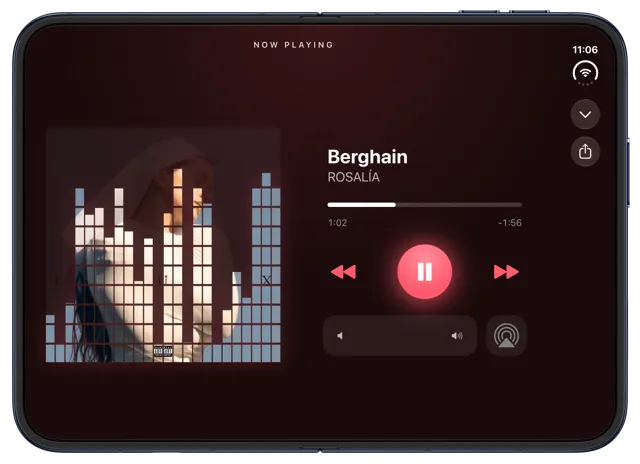
Marquee’s player styles arrange themselves around the fold instead of putting your music on the hinge. Here’s what happens in each position:
- Bent like a laptop. With the inner display upright, the album art or deck sits on the top half and the song, progress bar, playback controls, and volume sit on the bottom half. This works in the Classic, Vinyl, CD, Cassette, and Equalizer styles. CD and Cassette keep their own deck buttons up top, like a real stereo.
- Held like a book. With the inner display in landscape, the art or deck fills the left page and the controls the right. This works in every style except Full-Screen, including Retro and Marquee.
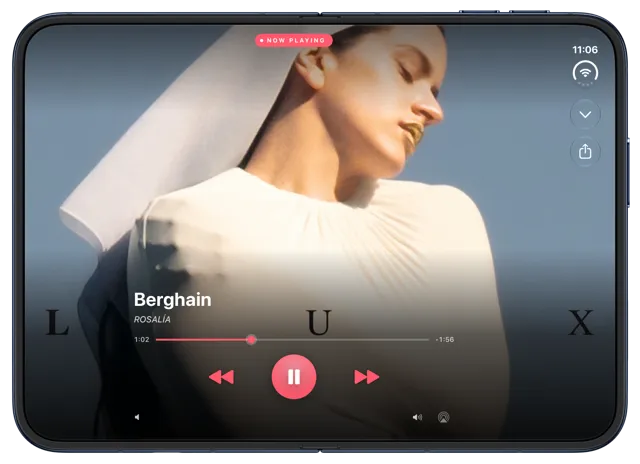
- Unfolded flat. Open all the way, the art sits beside the controls, like Marquee on iPad. Full-Screen fills the whole display with your album art.
Album and playlist pages in two columns
Open an album or playlist on the inner display in landscape and the page splits at the fold: the artwork, title, and play buttons on one side, the track list on the other.
Made for both displays
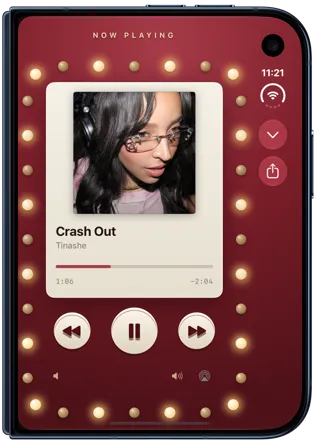
On the outer display, and on the inner display in landscape, the player’s close and share buttons move into the vertical bar at the side of the screen, where iPhone Duo puts app toolbars, and the tab bar runs vertically too. The player’s corners follow the shape of each display. Your widgets come along in every size, including extra-large.
How to get Marquee on iPhone Duo
- Download Marquee free from the App Store, or update to version 1.2.4 or later.
- Allow access to Apple Music. Marquee plays your library and the full Apple Music catalog, with nothing to import.
- Bend your iPhone Duo like a laptop or hold it like a book while music plays. Player styles beyond Classic are part of Marquee Pro, which starts with a free trial.

Try it with Marquee — free
The Apple Music player with eight player styles, animated widgets, themes, and Last.fm scrobbling. Requires an Apple Music subscription.
Frequently asked questions
Does Marquee work on iPhone Duo?
Yes. Marquee 1.2.4 and later is designed for iPhone Duo, with player layouts for the laptop and book positions and two-column album and playlist pages on the inner display.
Which player styles work in laptop position?
Classic, Vinyl, CD, Cassette, and Equalizer put the art above the fold and the controls below it. In book position, every style except Full-Screen splits across the two pages.
Is iPhone Duo support free?
Yes. The Duo layouts come with the app, including the free Classic player. The other player styles are part of Marquee Pro, which you can try free.
Do I need a separate app for iPhone Duo?
No. It’s the same Marquee app and the same download as on iPhone, iPad, and Mac.