For Apple Music
The Apple Music playermade yours.
Marquee adds what the Music app is missing: player styles like Vinyl and Cassette, custom themes, Last.fm scrobbling, listening stats, animated home screen widgets, and alerts for upcoming releases — all on top of your real Apple Music library, on iPhone, iPad, and Mac.
Last.fmScrobbling built in
StatsTop artists & plays
AlertsUpcoming releases
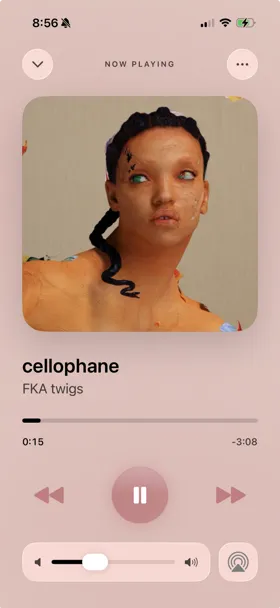
Scrobbling to Last.fm
Marquee style active
Scroll to explore
Free on the App Store
Works with your existing Apple Music subscription, on iPhone and iPad with iOS 26 or later, and on Macs with Apple silicon.

Preview
See it in action.
An Apple Music player made yours — themes, widgets, stats, and release tracking, all in one player.
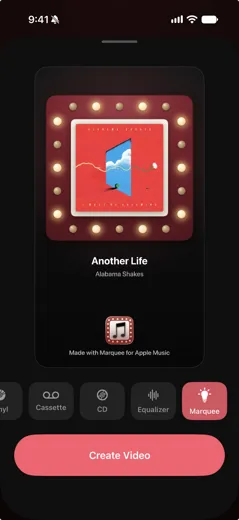
Share to Stories
Post what you’re listening to
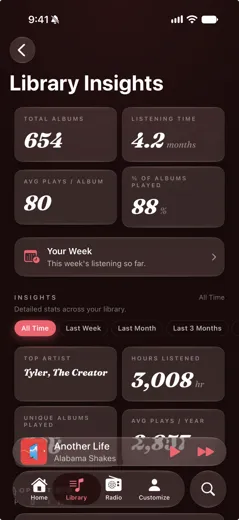
Listening Stats
Your library in numbers
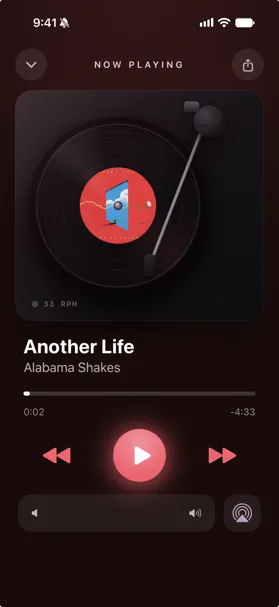
Now Playing
A player worth looking at
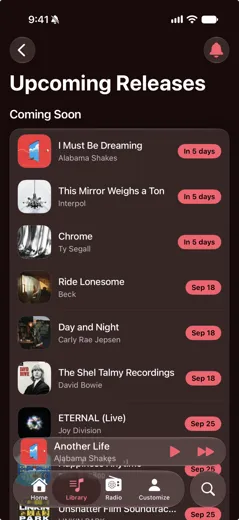
Upcoming Releases
Countdowns & release-day alerts
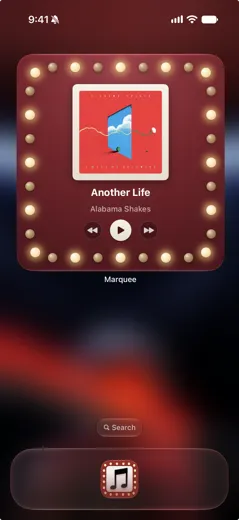
Widgets
The icon, come to life
Now on iPadThe same player,
The same player,
on the big screen.
Marquee is on iPad with support for every orientation and landscape layouts for all eight player styles — plus a Music-style sidebar that keeps your Library a click away.
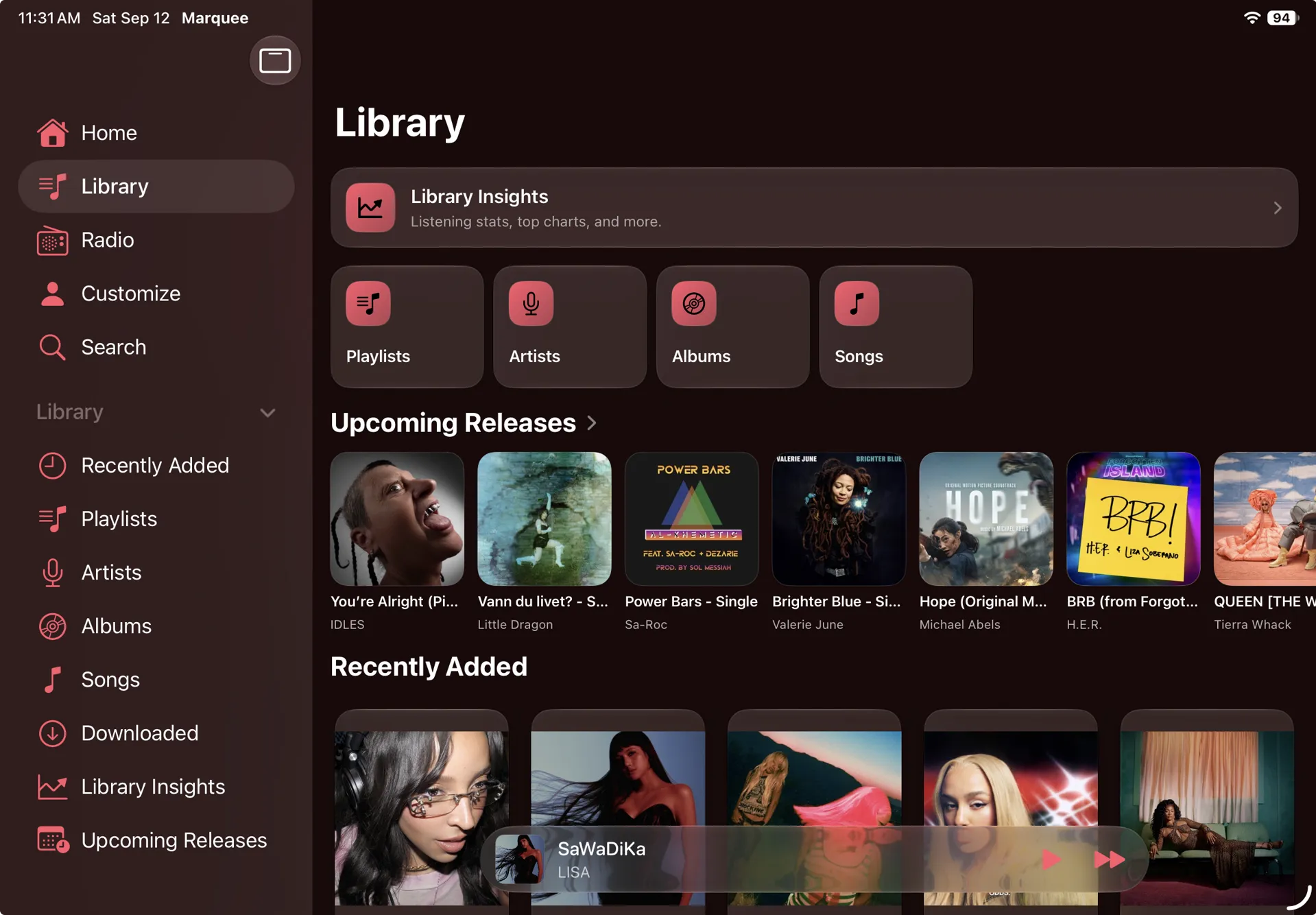
Your Library, one click away
A Music-style sidebar with every section of your library
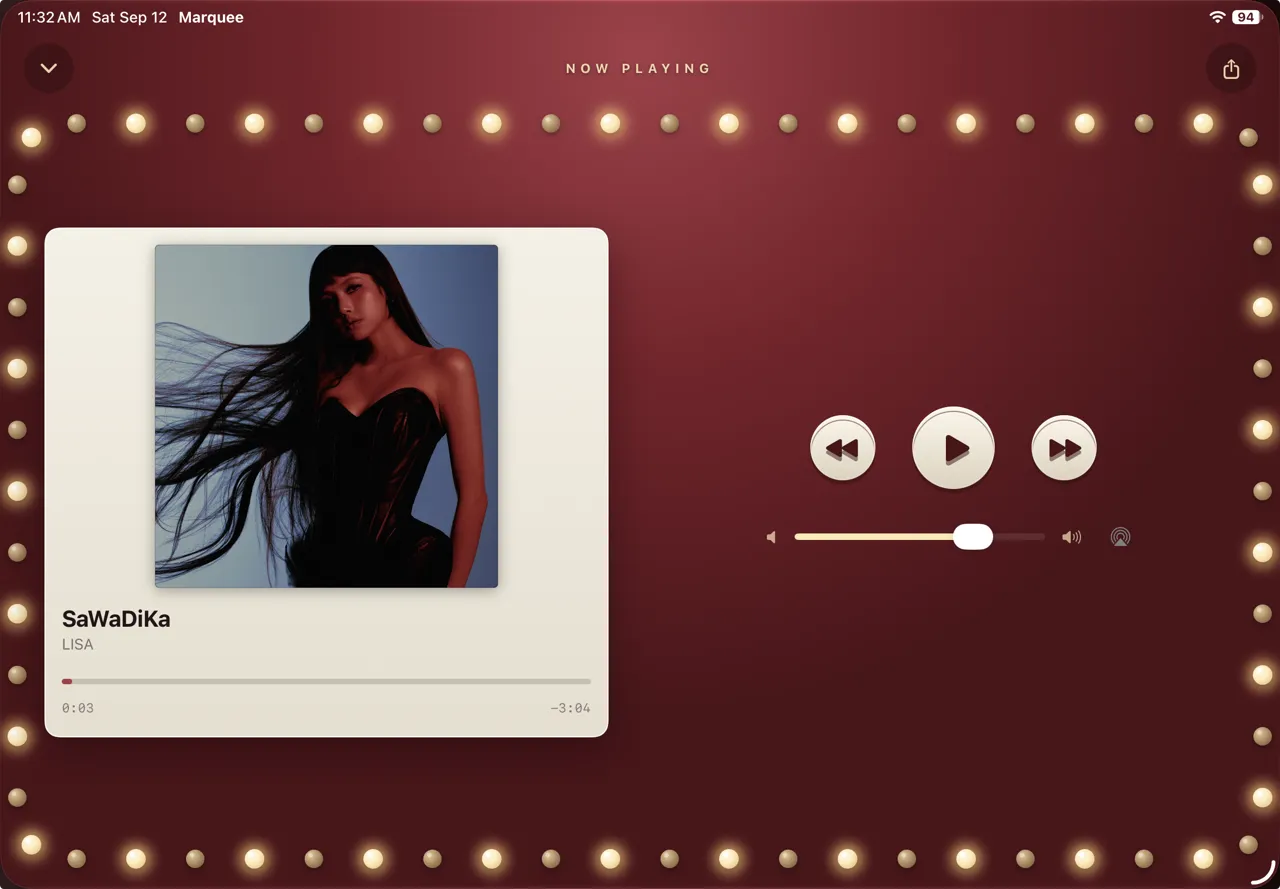
Landscape players
Every player style, laid out for the wide screen
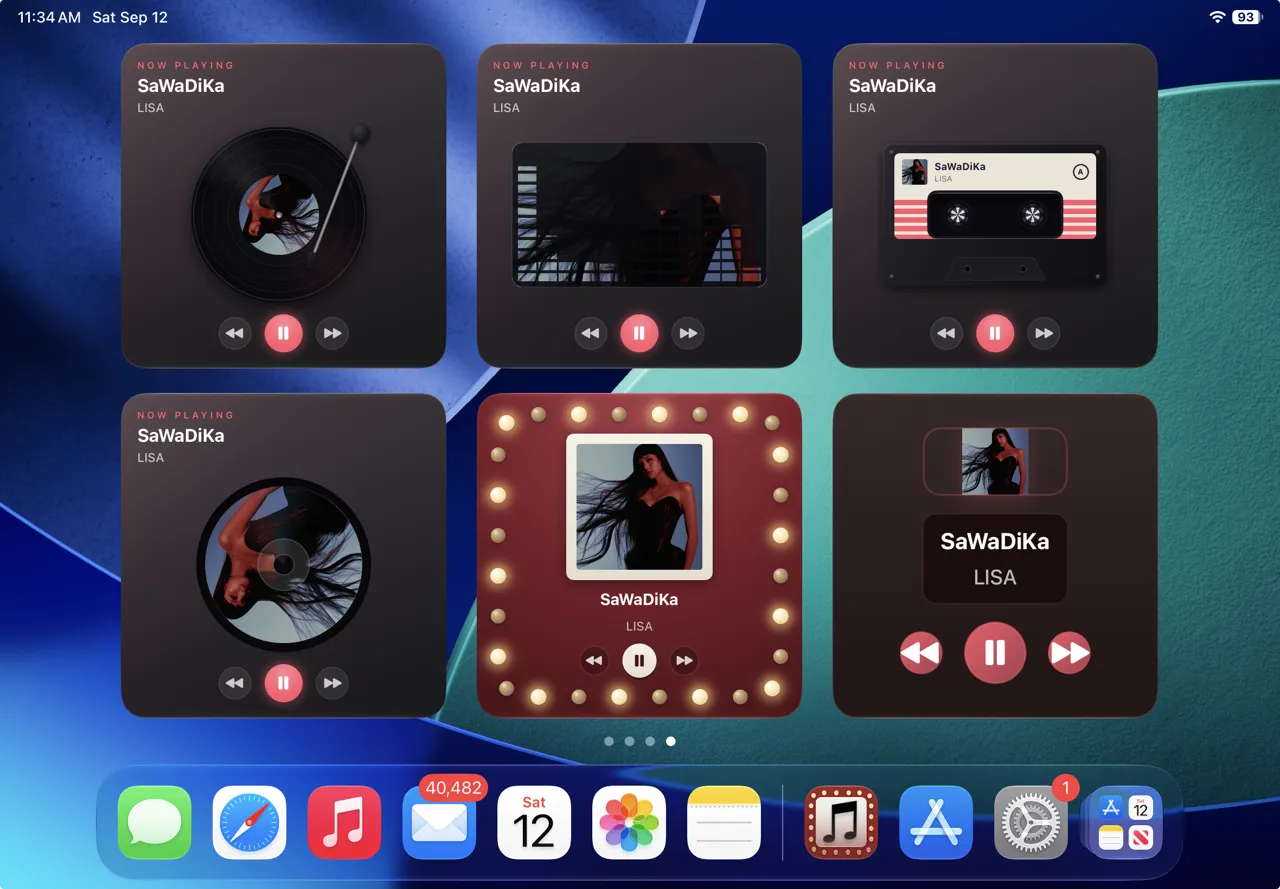
Widgets at iPad size
Vinyl, Equalizer, Cassette, CD, Marquee, and Music Player
How it worksUp and running
Up and running
in under a minute.
Marquee plays your real Apple Music library — nothing to migrate, nothing to re-build.
1
Download & connect
Get Marquee free from the App Store and allow access to Apple Music. Your library, playlists, and the full catalog appear instantly.
2
Make it yours
Pick a player style — Vinyl, Cassette, CD, Equalizer, Retro, and more — plus a theme or one of your own, a custom app icon, and animated home screen widgets that match.
3
Listen smarter
Connect Last.fm to scrobble every play, explore your Library Insights, and never miss a drop with Upcoming Releases.
Guides
Get more from Apple Music.
Practical guides to the things Apple Music won't do out of the box.
Apple Music Stats: How to See Your Top Songs, Artists, and Play Counts
How to See Your Apple Music Listening History
How to Get New Release Notifications for Apple Music
Can You Customize Apple Music? Themes, Colors & Icons
How to Add an Apple Music Widget to Your iPhone Home Screen
Apple Music Wrapped: See Your Stats Year-Round
How to Add Your CDs and Vinyl to Apple Music
How to Share Apple Music to Your Instagram Story
The Best Apple Music Apps for iPhone in 2026
How to Find New Music on Apple Music
How to Transfer Spotify Playlists to Apple Music
How to Download Apple Music Songs and Listen Offline
FAQ
Questions, answered.
How do I scrobble Apple Music to Last.fm?
Connect your Last.fm account in Marquee once, and every song you play is scrobbled automatically — no separate background scrobbler app needed. How to scrobble Apple Music →
What does Marquee scrobble to Last.fm?
Everything you play in Marquee — your library, search, album pages, and radio — following standard Last.fm rules: a track scrobbles after half its length or four minutes, whichever comes first. Offline plays are queued and submitted when you’re back online. Plays made in other apps, including Apple’s Music app, aren’t scrobbled by Marquee — iOS doesn’t let third-party players observe them.
Can I see my Apple Music listening stats any time?
Yes. Marquee’s Library Insights screen works from day one — it reads your library’s lifetime play counts, with charts of your top artists, albums, and genres. No waiting for a year-end recap. See your Apple Music stats →
How do I get notified when an artist releases new music?
Marquee’s Upcoming Releases screen reads the artists in your Apple Music library and shows their new albums automatically — with Marquee Pro adding countdowns for what’s coming and a notification on release day. Get new release notifications →
Can you customize Apple Music with themes?
Apple’s Music app only follows system light or dark mode. Marquee gives your Apple Music library unlimited custom color themes and five alternate app icons. Customize with themes →
What player styles does Marquee have?
Eight now-playing styles: Classic, Full-Screen, Vinyl, Cassette, CD, Equalizer, Marquee, and Retro. Vinyl spins your album on a turntable, Cassette plays it on a tape deck with winding spools, CD spins your album on a hi-fi compact disc deck, Equalizer turns the artwork into dancing bars, Retro puts your song on the glossy screen of a pocket music player, and Marquee sets it on a theater-style stage with golden chasing bulbs, a lacquer finish that matches your theme, and the ticket-card look straight from the app icon. Styles beyond Classic are part of Marquee Pro — switch any time from Customize in the app.
Why is it called Marquee?
A marquee is the theater sign ringed with chasing bulbs — it’s the app icon, and the look the whole app is built around. The Marquee player style puts your album on that stage, the Marquee widget brings the sign to your home screen, and the Marquee story composition lets you post it.
Does Marquee have iPhone home screen widgets?
Yes — animated deck widgets that spin a vinyl record, wind cassette reels, dance your album art as equalizer bars, or spin a CD, the Marquee widget with golden bulbs chasing around your album art, plus Music Player widgets with play/pause and skip controls, the Retro Player widget with working wheel controls, Upcoming Releases and City Charts widgets, and lock screen widgets — all themed to match the look you choose in the app, on iPhone and iPad. On iOS 27, every widget also comes in the new extra-large size. How to add music widgets →
Do Marquee’s widgets really animate?
Yes. The deck widgets animate while music plays — the vinyl record spins, cassette reels wind, album art dances as equalizer bars, the CD spins, and the Marquee widget chases its bulbs around your album art — and they pause when playback pauses. And they don’t drain your battery: the animation is drawn by the same system mechanism that renders the Home Screen clock, so no app code runs while a widget animates. They stay legible in tinted and clear home screen modes. Part of Marquee Pro.
Can Marquee add my CDs and vinyl to Apple Music?
Yes — point Marquee’s barcode scanner at any album you own and it jumps straight to that album in Apple Music, so you can rebuild your physical collection in your streaming library in minutes. The scanner is free.
Does Marquee have a weekly listening recap?
Yes — every Sunday evening, Your Week recaps your listening: your hours, plays, and top artist, free. Marquee Pro adds the deeper tiles, like day-by-day listening bars and your top albums and artists of the week. And any week can be turned into a card made for stories and posts — pick a style, and Marquee renders it right in the app.
Can I share my Apple Music listening stats as a card?
Yes — open Your Week, tap Share, and pick a card: a Marquee Sign, a bulb-ringed playbill with your top artists on the bill; a Ticket Stub, a perforated admission ticket with your week’s stats; a Chart Poster, your play count in giant glowing type plus your artist rankings; or a Setlist, the week’s songs taped up like a gig setlist. Each card is drawn in your theme colors at full story size and handed to the share sheet, so it works with Instagram Stories, Messages, and anywhere else you post. Sharing your week is free. Wrapped for Apple Music →
Do Marquee’s stats include listening from before I installed it?
Your lifetime totals do — they’re built on the play counts iOS keeps for your whole library, so all-time stats are there from day one. Time-windowed stats like Last Week and Your Week track from the day you install, since earlier plays can’t be placed in time, and your first Your Week recap arrives the following Sunday. Connect Last.fm to keep a permanent history from here on out.
Can I share what I’m listening to on Instagram Stories?
Yes — tap the share button in the player and Marquee turns the current song into a story-ready video built around the album artwork: a spinning vinyl record, winding cassette, spinning CD, animated equalizer, or the Marquee look with its chasing bulbs. It hands the video to the share sheet, so it works with Instagram Stories and any app that accepts video. Sharing is free. Share Apple Music to Stories →
Does Marquee have a mini player for Apple Music?
Yes. While music plays, a glass mini player sits above the tab bar with your album art, the song and artist, and play/pause and next buttons. Tap it and the full player opens out of it; swipe the full player down and it tucks back in. When you scroll, it shrinks into the tab bar so it stays out of your way. The mini player is free, on iPhone and iPad.
What languages does Marquee support?
Marquee is available in English, Spanish, Japanese, German, French, and Brazilian Portuguese, and follows your device language automatically. To use a different language just for Marquee, set it in Settings → Marquee → Language.
Is there a Spotify Wrapped for Apple Music?
Apple’s answer is Replay, with monthly insights and a year-end recap. Marquee goes further with live listening stats you can open any day of the year. Wrapped for Apple Music →
Is Marquee free?
Yes. Marquee is free to download and use — the full player, library browsing, live radio, Last.fm scrobbling, the barcode scanner, sharing to Stories, Your Week and its share cards, and new-release browsing. Marquee Pro unlocks listening stats, upcoming-release countdowns and day-one alerts, player styles, animated deck widgets, unlimited custom themes, and premium icons — as a subscription with a free trial, or a one-time lifetime purchase with no renewals, ever.
Can I buy Marquee Pro once instead of subscribing?
Yes. Alongside the monthly and yearly subscriptions, Marquee Pro offers a one-time lifetime unlock — pay once, keep everything, no renewals ever. Current pricing for all three options is shown in the app.
Do I need an Apple Music subscription to use Marquee?
Yes — Marquee is a player for Apple Music, not a separate music service, so it requires an active Apple Music subscription and iOS 26 or iPadOS 26 or later, or macOS 26 or later on a Mac with Apple silicon. It’s designed for every iPhone size, from the SE up, and for every iPad.
Does Marquee work on iPad?
Yes — Marquee is on iPad with support for every orientation and landscape layouts for all eight player styles. Add a keyboard and press Space to play or pause, ⌘← and ⌘→ to skip, and ⌘F to search. A Music-style sidebar keeps your Library a click away, the widgets come along at iPad size, and the mini player opens into the full player as one piece. It’s the same app and the same download, so nothing to buy twice.
Does Marquee work on iPhone Duo?
Yes — Marquee 1.2.4 and later is designed for iPhone Duo. Bend it like a laptop and the album art sits above the fold with the controls below; hold it like a book and the art and controls split across the two pages. Album and playlist pages split into two columns at the fold too. Marquee on iPhone Duo →
Does Marquee work on Mac?
Yes — Marquee’s iPad app runs on Macs with an Apple M1 chip or later and macOS 26 or later. In the Mac App Store, search for Marquee and look under iPhone & iPad Apps. It’s the same app as on iPad, so there’s nothing extra to buy.
Your music deserves
a better player.
Player styles, themes, scrobbling, stats, and release alerts — free with your Apple Music subscription.
Requires Apple Music subscription. iPhone and iPad with iOS 26 or later; Mac with Apple silicon and macOS 26 or later.